Your repository's toolchain and monorepos
M1rror checks changes with your own package manager, Node version and scripts. Choose the app in a monorepo, adjust checks and store the variables they need.
On this page
A build is only trustworthy if it is checked the way your team checks it. M1rror reads your repository's own toolchain (its package manager, Node version and typecheck, lint, test and build scripts) and uses it for scans, build plans and checks. It also compares every check with the same check before the change, so a test that was already failing isn't blamed on the redesign.
What M1rror reads
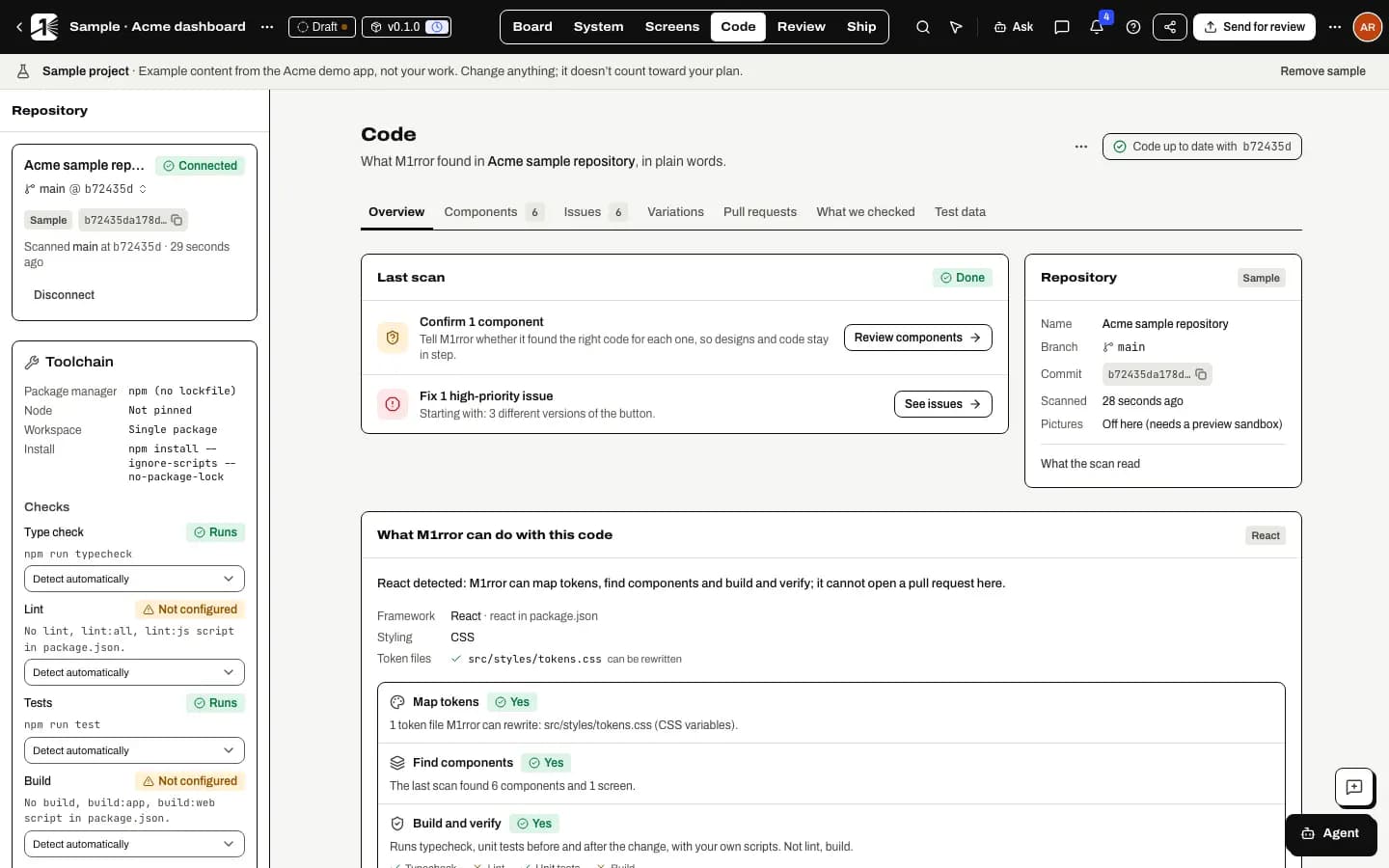
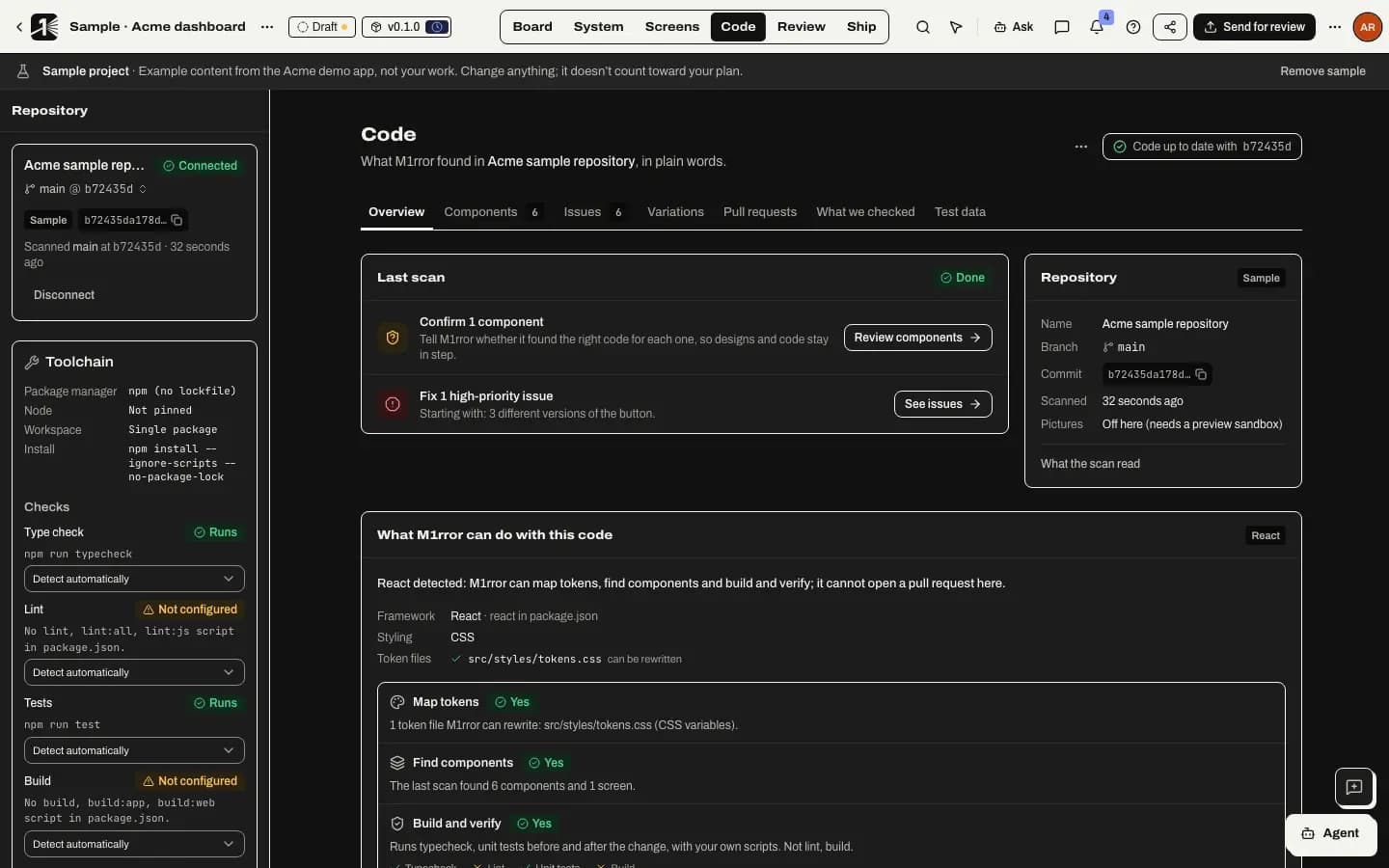
Open Code mode. In the Repository panel, the Toolchain section shows what was found. It is read from your files only; nothing in the repository runs.
| What | Where it comes from |
|---|---|
| Package manager | packageManager in package.json, otherwise the lockfile: pnpm, Yarn (including Yarn 2+ and Plug'n'Play), Bun or npm. With no lockfile, npm. |
| Node | .nvmrc, .node-version, Volta or engines.node. Otherwise Not pinned. |
| Workspace | pnpm workspaces, workspaces in package.json, Turborepo, Nx or Lerna, with up to 200 apps and packages. |
| Checks | For each of Type check, Lint, Tests and Build, the first matching script, for example typecheck, lint, test or build. |
M1rror never picks a script that watches files, rewrites files (such as --fix or --write), starts a server or runs end-to-end browser tests. If there is no type-check script but there is a tsconfig.json, it falls back to tsc --noEmit and labels it as a fallback.
The same reading feeds the capability card on Code's Overview, so the two always agree.
Choose the app in a monorepo
Pick the package
In Toolchain, choose a Package: Whole repository, or one of the listed Apps and Packages, each with its framework. M1rror suggests the most likely app.
Know what the choice affects
Scans start in that package, installs include it and what it depends on, and checks run for it. In a Turborepo or Nx workspace, checks run through Turbo or Nx from the root; otherwise they run in the package's folder.
Change it later if you need to
The choice stays editable. A change applies to scans and build plans prepared afterwards. Build plans that were already prepared keep the commands they were authorised with.
Adjust a check
For each check, choose Detect automatically, Don't run, or one of the scripts in your package.json. You can only pick a script by name, never type a command. A check your repository doesn't define is listed as Not configured and isn't counted as a problem.
Changing the toolchain needs permission to manage integrations. Everyone else can see it.
Store variables your checks need
Some test suites need an environment variable, and some installs need a token for a private package registry. Add them under Environment variables for checks:
Name it
Enter the Name your code reads, such as
DATABASE_URL: letters, digits and underscores, not starting with a digit.Enter the value
The Value is write-only: it is encrypted and never shown again. M1rror shows only the name and, for longer values, the last four characters.
Say what it's for
Under Used for, choose Checks (environment variable), or Installs (private registry token) and the Registry host, for example
npm.pkg.github.com. Then select Save variable.
What M1rror does with them:
- Values are replaced with
[redacted:NAME]in every log and piece of evidence. - Names that change how programs run, such as
PATH,NODE_OPTIONSor anything starting withnpm_config_orM1RROR_, are refused. - A build plan uses the variables that existed when it was prepared. A variable added later is reported, not used, until you prepare a new plan.
- If the page says Variables can't be stored here, this deployment has no encryption key for stored credentials, and checks run without extra variables.
How checks run in a build
When a build runs:
- Dependencies are installed with your package manager, with the lockfile frozen and install scripts turned off. Only your package registry is reachable.
- Each check runs at the base commit, then again after the change, with network access off.
- The run shows a Checks against the base commit table:
| Result | Meaning |
|---|---|
| Passes | Passes before and after. |
| Fixed by this change | Failed before, passes now. |
| Newly failing | Passed before and fails now, or fails with new errors. This stops the hand-off. |
| Already failing | Fails the same way without the change, so it isn't blamed on it. |
| Inconclusive | Timed out at the base commit. |
| Not run | A tool or variable was missing, and the table names it. |
If no check can run at the base commit at all, or the install fails, the build stops before it changes anything, and nothing is charged.
Large repositories
Connecting a repository clones it in the background, and Code shows the progress. A scan reads the chosen package first, then the rest, within fixed limits on the number and total size of files. Anything it skipped is listed in the scan's events, with the folders it was in.
Known gaps
- Bun isn't in the build sandbox yet. Bun repositories show tool missing for their checks.
- Yarn Plug'n'Play checks depend on your repository's own setup. Tools that don't support Plug'n'Play fail as they would in your own CI.
- A repository that asks for a Node major version other than the sandbox's still runs, and every check's evidence says so.
Next
- Stay in sync after a merge: updates on push, the changelog and revert pull requests.
- Ship an implementation PR.
Last updated
Edit this page on GitHub