Connect a coding agent over MCP
Connect Claude Code, Claude Desktop, Cursor or Codex to M1rror's MCP server with OAuth or an agent token, so your agent builds from the approved design system.
On this page
Your coding agent is good at writing code but has never seen your design system. Connecting it to M1rror over the Model Context Protocol gives it your tokens, components, screens, approved releases and build plans, so it builds what was approved instead of guessing.
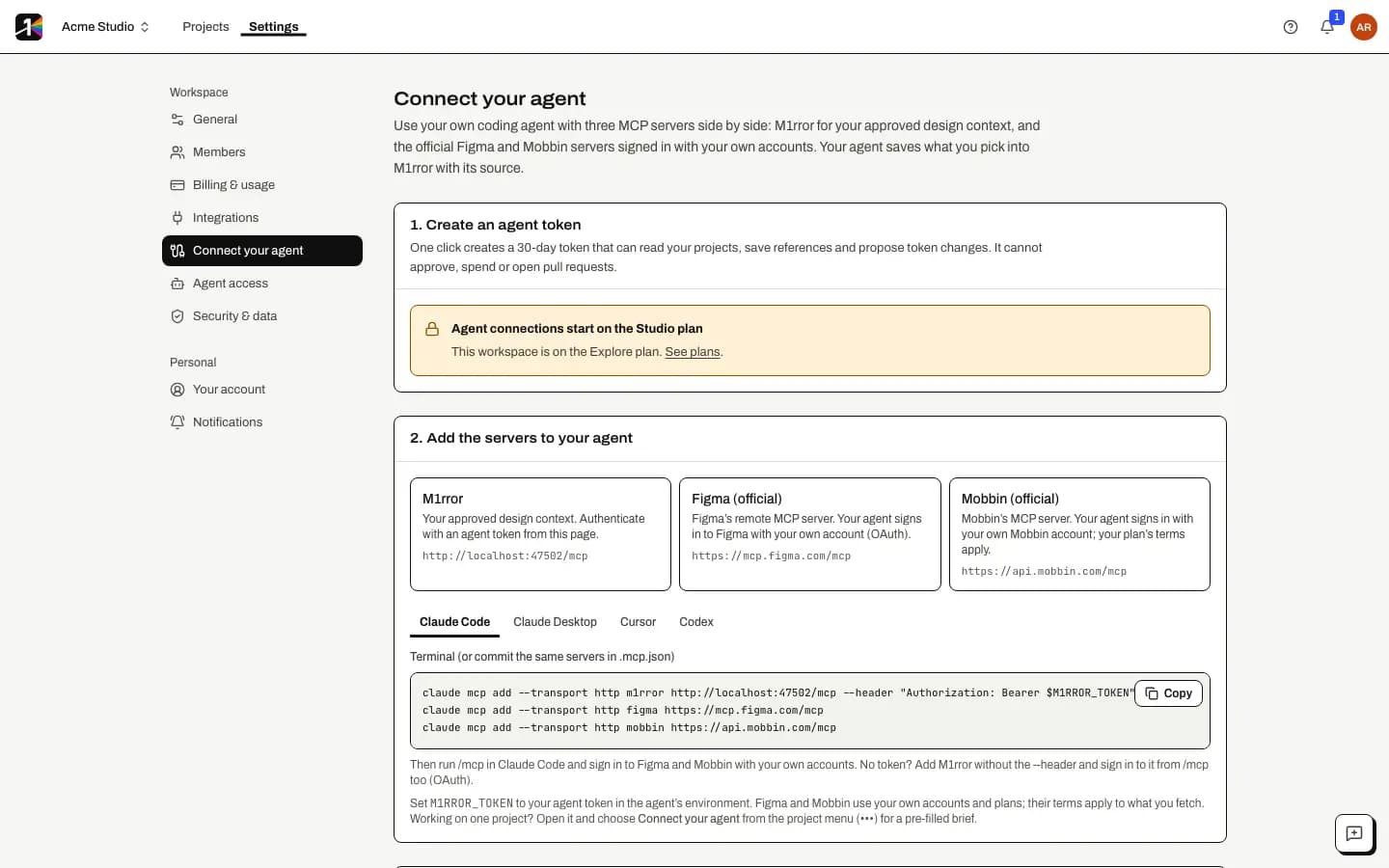
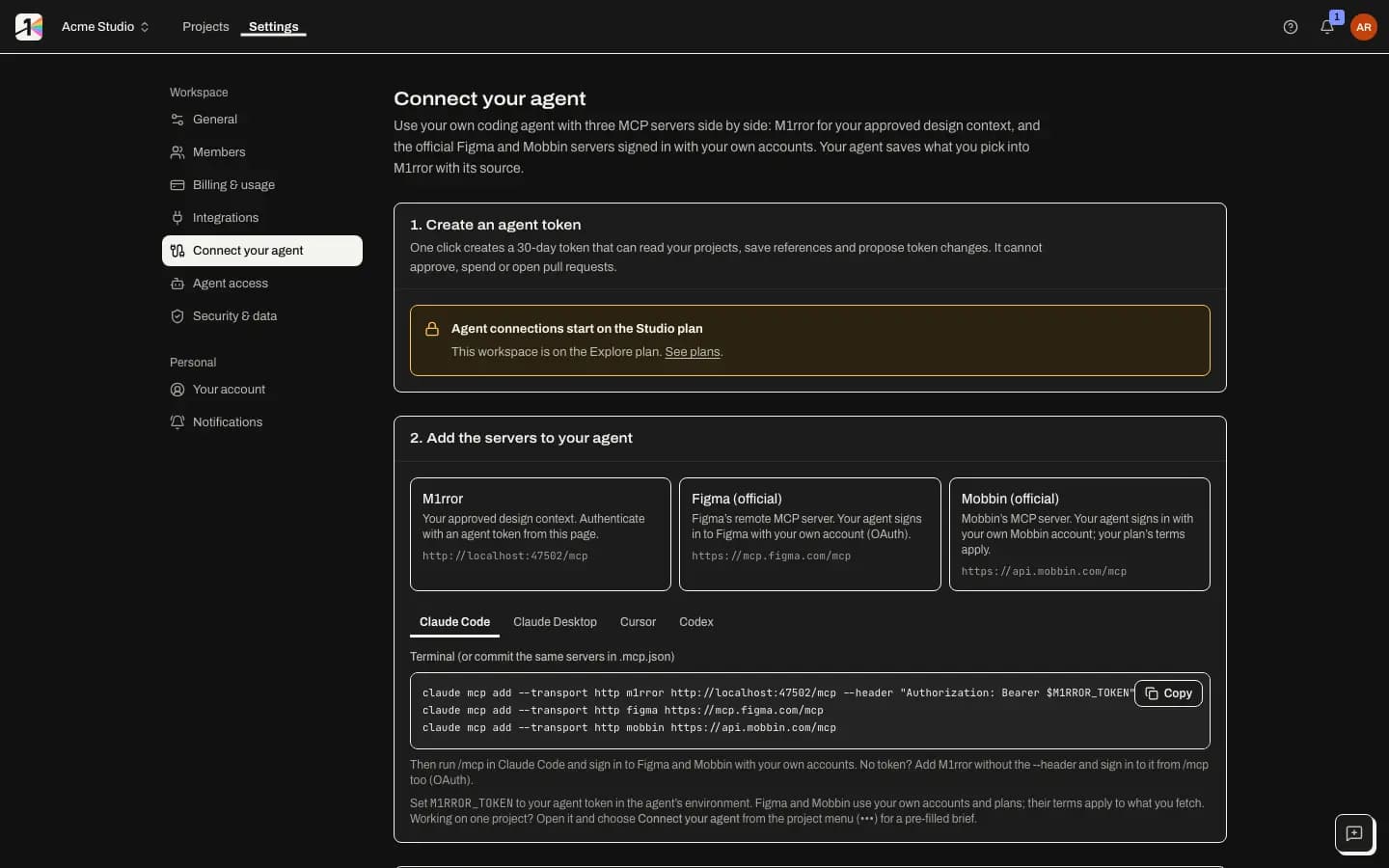
Find your setup
Open Settings › Connect your agent, or a project's menu › Connect your agent… for that project's values. The page has three parts: Create an agent token, Add the servers to your agent and Try a recipe. It shows the exact server address for your deployment; for m1rror.com it is https://mcp.m1rror.com/mcp.
Choose how the agent signs in
- OAuth (recommended). Add the server without a token; your agent opens a browser window where you sign in, pick the workspace and approve the permissions.
- Agent token. Select Create agent token. The token is shown once and lasts 30 days. It carries the implementer tools: your agent reads the approved release, links its pull request to it, reports progress and evidence, and sees what has shipped. It cannot approve, spend, merge or open pull requests for you. Keep it in an environment variable named
M1RROR_TOKEN; the configs below never contain the token itself.
Both give your agent the implementer tool profile, a short list of 14 tools that coding agents handle well. If you want your agent to save references or propose design changes too, create a token with Tools › Full (every permitted tool) in Settings › Agent access.
Add the server to your agent
claude mcp add --transport http m1rror https://mcp.m1rror.com/mcp --header "Authorization: Bearer $M1RROR_TOKEN"Then run
/mcpin Claude Code. For OAuth instead of a token, leave out--headerand sign in from/mcp. You can also commit the same server to.mcp.jsonin your repository.If your token has the full tool set, you can still limit one connection to the implementer tools by adding
?profile=implementerto the address:claude mcp add --transport http m1rror "https://mcp.m1rror.com/mcp?profile=implementer" --header "Authorization: Bearer $M1RROR_TOKEN"Try a recipe
Try a recipe in Connect your agent lists ready-made prompts. The first one works with the implementer token; recipes that save screens as references or propose token changes need a token with all tools. Start with something read-only, for example asking your agent for the implementation brief of your latest approved release.
Implement an approved release
With the implementer tools, a coding agent can build an approved design in your own checkout and report back, so M1rror can show what shipped:
- Read the brief.
taste_get_implementation_briefreturns what is left to build from the latest approved release, the scope, the checks to run and the line to put in the pull request description. It never points at a release still in review. - Implement the change in your repository, within the plan's allowed files if there is an authorised build plan (
taste_get_implementation_contract). - Open a pull request in GitHub with the
M1rror-Release: …line from the brief in its description. M1rror links it to the release when GitHub reports it. - Link it explicitly with
taste_link_pull_requestif the line isn't there. - Report progress with
taste_submit_implementation_progress, naming the items done and the files changed. - Submit evidence of its checks with
taste_submit_evidenceand the link's id. - Check coverage with
taste_get_ship_ledger, the same view as Ship › Coverage.
Progress counts only when the files the agent names are in the pull request's diff, and evidence an agent submits is always marked as not run by M1rror.
What agents can and can't do
With the full tool set, agents can read projects, references, designs, releases, build plans and runs, and draft: add references, propose design changes, update screens and their states, ask for a review, prepare a build plan and submit evidence. With the implementer profile they see only the 14 implementer tools. The full list is in MCP tools.
Agents can never approve a release or decide a review, authorise or start a build in M1rror, open a pull request through M1rror, or change billing, members, integrations or policy. Every request is checked against both the agent's grant and the current permissions of the person who connected it.
Revoke access
Agent tokens and OAuth grants are listed in Settings › Agent access, where you can revoke them. Removing a member also revokes their agent tokens for the workspace.
Design sources in the same agent
The setup page can add Figma's and Mobbin's own MCP servers next to M1rror's, which you sign in to with your own accounts.
Last updated
Edit this page on GitHub